
How to write a slow-burn romance novel with AI without rushing the romance
Plan where each step of a slow burn lands, write not-before rules into the premise, and check the chapter plan before AI writes your romance novel. One worked example.

In this guide
A slow burn is a romance where the two leads take most of the book to get together, so every small step between them carries weight. When AI drafts the book, the main risk is that a step arrives too soon: a kiss in chapter 3, a declaration halfway through. The fix is to decide where each step lands before any prose is written, write those limits where the AI reads them every chapter, and check the chapter plan against them before you approve it.
That works because of how ScribistIQ writes a book. It writes one chapter at a time and never rereads the whole book. Each chapter is written from your premise, which goes into every chapter word for word, plus that chapter's entry in the approved outline, the Story Bible, summaries of recent chapters and the end of the previous chapter. A pacing rule in the premise is therefore in front of the model for every chapter, and a premature kiss in the outline will be written as planned.[3]
This guide carries one invented book, The Last Crossing, from a milestone ladder to the premise, notes and plan check. The ladder and checks are an editorial method, not a tested recipe, and nothing here is recorded AI output.
What the romance preset already does, and what it leaves to you
When you choose the Romance preset on the Pro or Ultra Max generator, it adds four directives to every chapter prompt: two leads with distinct voices who notice different things in the same room; physical awareness shown through small specific details; internal tension, what each wants against what each fears, before external conflict; and a meaningful obstacle in every chapter, resolved only when it has been emotionally earned. The romance page says those rules suit a slow burn, and that Ultra Max books of 12 to 30 chapters give it room to build.[1]
A directive is guidance, not a guarantee, and none of the four says which chapter the first kiss belongs in. There is no trope picker and no heat slider: heat and tropes are steered through your premise, tone and notes. Typing your own genre description instead of choosing the preset gives up these four directives. Either way, the pace of the relationship is your decision, and the premise and the chapter plan are where you make it stick.[1]
Choose the book length first
Milestones need chapters to sit in, so choose the length before you plan the ladder.
| Generator | Chapters | Cost | Fit for a slow burn |
|---|---|---|---|
| Fast | 3 to 7 | 50,000 credits a book | No romance preset; the fiction switch only. Too short to stage many steps; useful for trying a premise. |
| Pro | 5 to 12 | 300,000 credits a book | Romance preset available; you choose it when you start the book, then review and edit the chapter plan first. Twelve chapters fit the 12-chapter ladder below, on any paid plan. |
| Ultra Max | 5 to 30, up to about 100,000 words; the Epic (20) and Novel (30) lengths are on the Pro plan | 50,000 credits for the outline, then 50,000 per chapter | Romance preset available, chosen when you start; each chapter is written against a continuity bible. The romance page points slow burns of 12 to 30 chapters here. |
Plans start at $29 a month and every paid plan includes every generator, but the 20-chapter (Epic) and 30-chapter (Novel) lengths on Ultra Max are on the Pro plan, not the starter plans. So the 12-chapter column of the ladder below works on any paid plan; the 20-chapter column assumes Ultra Max on the Pro plan. As a worked sum from the published prices, a 20-chapter Ultra Max book is 50,000 plus 20 times 50,000, or 1,050,000 credits.[1][2]
Step 1: Build a milestone ladder
List the steps your leads take toward each other and give each one a chapter. One step per rung keeps every chapter moving; readers of slow burns describe wanting a feeling of progress and each milestone given special attention, and dislike stalling, obliviousness and contrived misunderstandings. That forum discussion is about game romances, not books, and it is one 2023 thread, but it names the same failure an early kiss creates: nothing left to earn.[5]
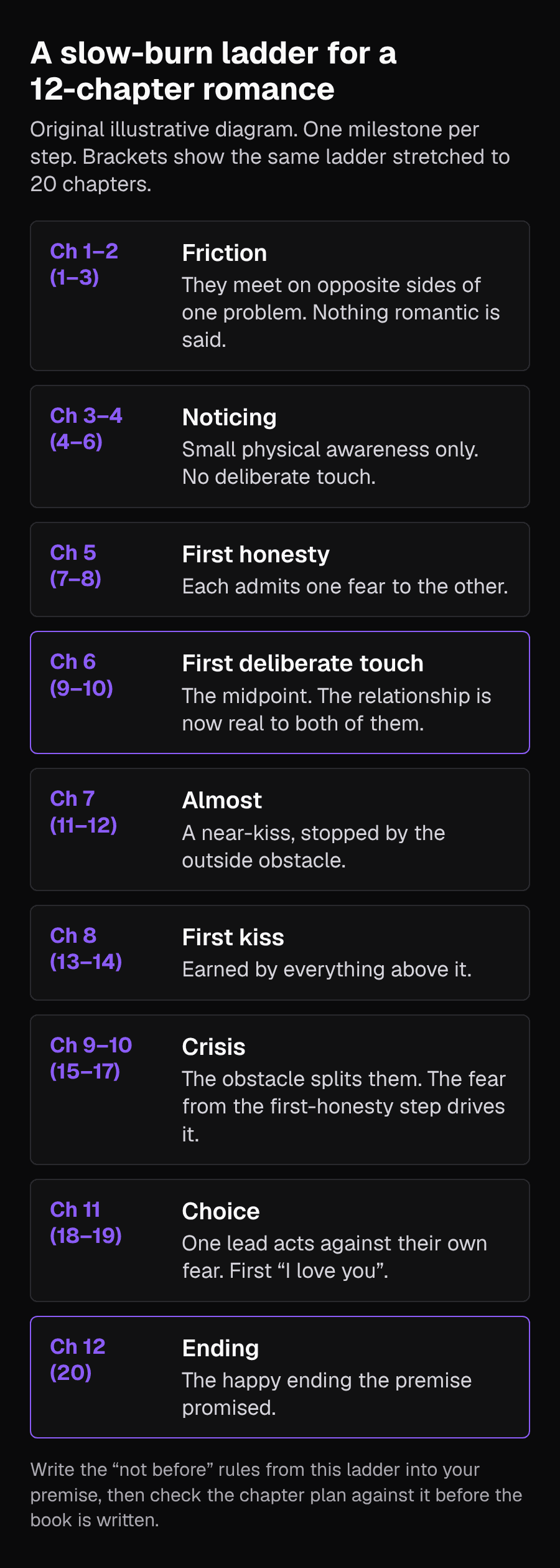
| Rung | 12 chapters | 20 chapters (Ultra Max, Pro plan) | What happens |
|---|---|---|---|
| Friction | 1 to 2 | 1 to 3 | They meet on opposite sides of one problem. Nothing romantic is said. |
| Noticing | 3 to 4 | 4 to 6 | Small physical awareness only. No deliberate touch. |
| First honesty | 5 | 7 to 8 | Each admits one fear to the other. |
| First deliberate touch | 6 | 9 to 10 | The midpoint. The relationship is now real to both of them. |
| Almost | 7 | 11 to 12 | A near-kiss, stopped by the outside obstacle. |
| First kiss | 8 | 13 to 14 | Earned by everything above it. |
| Crisis | 9 to 10 | 15 to 17 | The obstacle splits them; the fear from the first-honesty rung drives it. |
| Choice | 11 | 18 to 19 | One lead acts against their own fear. First declaration of love. |
| Ending | 12 | 20 | The happy ending the premise promised. |
Change the rungs to suit your book. An enemies-to-lovers story might need two friction chapters more; a second-chance romance might open with the first honesty already behind them. What matters is that every rung has a chapter and nothing jumps ahead of it.
Step 2: Start the book in the Pro or Ultra Max generator
With the ladder planned, set the book up. Every generator starts from a title and a premise and takes either one of seven genre presets or your own genre description; the finished book lands in your library. For a slow burn the preset choice matters, because the four romance directives above apply only when you choose Romance.[2][1]
- Sign in on a paid plan and open the Pro or Ultra Max book generator. Pro is the 12-chapter route on any paid plan; a 20-chapter Ultra Max book needs the Pro plan.
- Enter the title, for this example The Last Crossing.
- Choose the Romance genre preset rather than typing your own genre description.
- Set the length to match the ladder column you planned: 12 chapters for the example on Pro, or 20 on Ultra Max.
- Enter the premise with its pacing rules (Step 3) and, on Pro or Ultra Max, the Characters and world notes (Step 4) before you ask for the chapter plan.
Step 3: Write the not-before rules into your premise
Turn the ladder's key rungs into short rules and put them in the premise, together with the promised ending. ScribistIQ's continuity guide advises writing fixed facts into the premise and stating numbers directly rather than leaving the AI to work them out, which is why the rules below name chapters outright.[3]
Mara Okafor, 34, captains the last night ferry across Lake Arden; the route was her late father's. Theo Lind, 36, is the engineer hired to report whether a bridge should replace the ferry. She wants the route saved and fears being left; he wants to finish the job and leave, and fears staying anywhere. His report, due at the end of summer, is the obstacle between them. Pacing rules for the whole book: they do not touch on purpose before chapter 6. They do not kiss before chapter 8. Neither says 'I love you' before chapter 11. Mara does not learn what the report recommends before chapter 9. The book ends with them together and the ferry still running.
Keep the rules factual and short. They sit beside the story in every chapter's prompt, so phrase them as limits the model can obey, not as mood.
Step 4: Give each lead a want, a fear and a way of noticing
On Pro and Ultra Max you can give the generator your characters, places and rules up front, and those Characters and world notes become the book's Story Bible, up to 16,000 characters, treated as facts the chapters must not contradict. For a romance, this is where the preset's distinct-voices and want-against-fear directives get their raw material.[2][3][1]
MARA OKAFOR, 34. Ferry captain. Wants: keep the route running. Fears: being left; her father died the winter she was away. Notices: weather, engine sounds, who is on board; counts passengers twice. Speaks in short practical sentences. THEO LIND, 36. Structural engineer from the city. Wants: finish the report and move to the next job. Fears: staying long enough to matter. Notices: loads, cracks, numbers; checks bolts without thinking. Talks in qualifications and jokes when cornered. THE FERRY: the Arden Belle, 40 years old, one crossing each way after dark. THE REPORT: due 31 August. Recommends the bridge until Theo rewrites it in chapter 11. RELATIONSHIP STATUS: strangers at the start. Keep to the pacing rules in the premise.
Heat is set here and in the tone. The romance page says intimacy is written without explicit detail in practice, that the preset targets adult readers of contemporary romance and is the wrong tool for explicit prose, and that a finished book can become a public page only after a sexual-content check; explicit books stay private but can be exported and printed.[1]
Step 5: Check the chapter plan before you approve it
On Pro and Ultra Max you see the whole outline before writing starts and can rewrite any chapter beat. Each chapter is written from its outline entry, so this is the last cheap moment to fix pacing: once you start the book, a Pro book costs 300,000 credits and an Ultra Max book is charged per chapter.[2][3]
- Write the ladder's rung numbers beside the outline. Mark the chapter where each rung first appears.
- Any rung that appears earlier than your rule: rewrite that chapter's beat so it stops one rung short.
- Every chapter: name its obstacle. The preset asks for one per chapter; a chapter without one is where tension sags.
- Every chapter: name the one rung it advances. A chapter that advances nothing is the stalling readers complain about; give it a small step rather than padding.
- The crisis: it should come from the established obstacle and the fear in your notes, not from a new rival or a misunderstanding that one honest sentence would clear up.
- The last chapter: it should deliver the ending your premise promised.
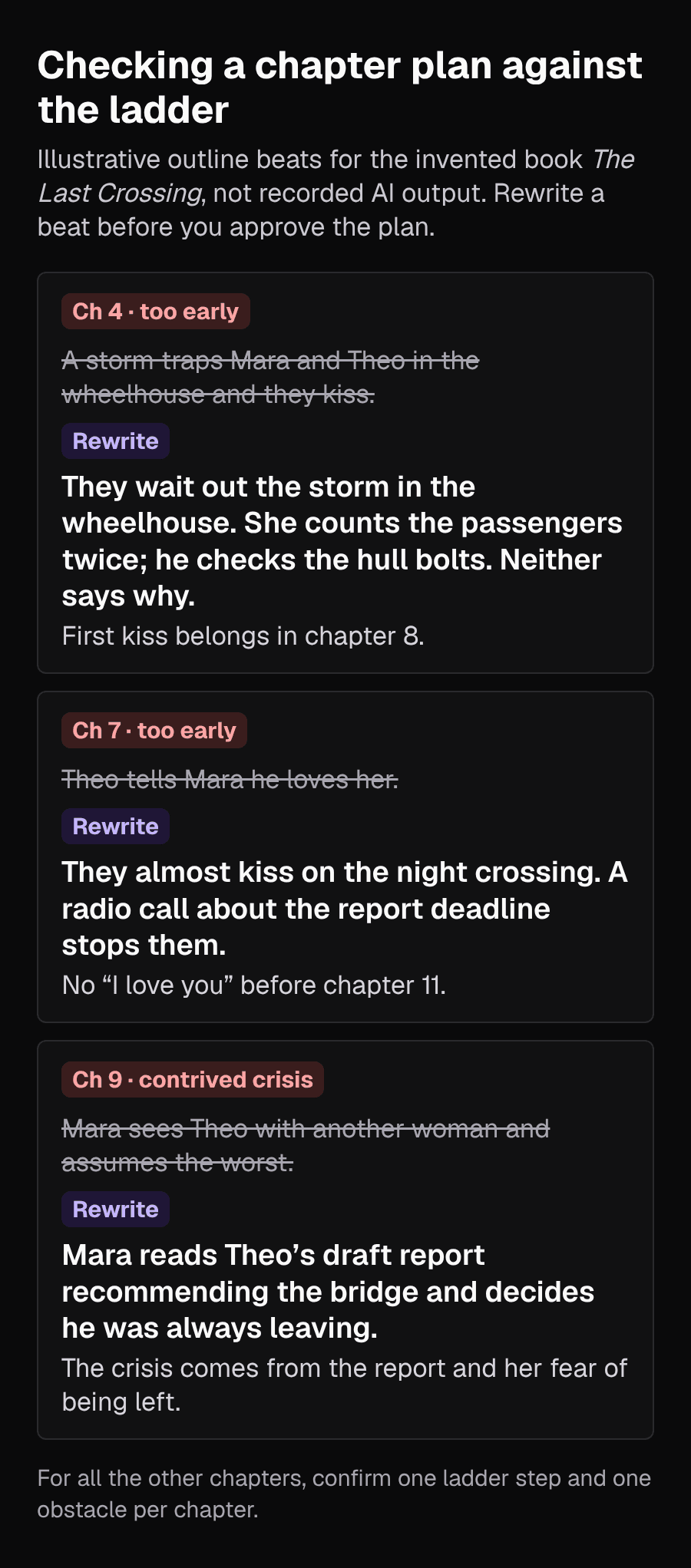
Ch 4. Outline: a storm traps them in the wheelhouse and they kiss. Breaks 'no kiss before chapter 8'. Rewrite: they wait out the storm in the wheelhouse; she counts the passengers twice, he checks the hull bolts; neither says why. Ch 7. Outline: Theo tells Mara he loves her. Breaks 'no I love you before chapter 11'. Rewrite: they almost kiss on the night crossing; a radio call about the report deadline stops them. Ch 9. Outline: Mara sees Theo with another woman. Contrived crisis. Rewrite: Mara reads Theo's draft report recommending the bridge and decides he was always leaving. All other chapters: one rung and one obstacle each. Approve.
When every beat passes, approve the plan. The generator then writes the whole book from your premise, one chapter at a time, and the finished book lands in your library, where you can open it for the read-through below.[1][2][3]
Step 6: Read the draft for early milestones
When the book is finished, read it with the ladder beside you. A rung can still slip forward inside a chapter whose outline was fine, for example a lingering hand in chapter 3. Search for the obvious words (kiss, love, hand) and check each one against its chapter number.
- Open the finished book from your library in Write Studio: choose Co-write in the app's sidebar, then Co-write on the book's card, and pick the chapter from the chapter menu at the top of the editor.
- Select the passage that jumps ahead and choose Rewrite; this starts an AI action straight away. When the suggestion finishes, you can steer it: type a note in the instruction box beneath the preview, such as: Keep the scene. Remove the hand-holding; it is chapter 3 and they do not touch on purpose before chapter 6. Then choose Apply. Apply writes a new suggestion for the original selection; it does not accept anything.
- Read the tracked changes. Choose Accept to keep the suggestion or Reject to discard it.
- Check for the Saved indicator above the editor before you leave. Work saves a few seconds after you stop typing, and there is also a Save button.
Write Studio's AI actions need a paid plan; free accounts can open the Studio and write by hand. Each successful generation is a separate action at the tier you selected: the Rewrite is one, and each Apply or Try again is another. A Fast action costs 500 credits and a Pro action 3,000, so the Rewrite plus one Apply above is two actions, 6,000 credits at the Pro tier. Actions also count against your plan's monthly allowance, which is a hard limit: when it is used up, AI assists pause even if you still have credits. The Story Bible does not update itself after it is set up, so if you continue the story later, add the relationship's current status there yourself. Continue Book can add up to 12 chapters to a finished book with the same continuity bible, and the romance page suggests pasting the story bible into the next book of a series.[4][2][1]
Common problems
| Problem | Likely cause | What to change |
|---|---|---|
| They kiss in an early chapter | The outline beat or premise allowed it | Add a not-before rule to the premise; rewrite that beat before approval, or Rewrite the passage afterwards |
| Chapters feel stuck | No rung or obstacle in those chapters | Give each one small step and a named obstacle in the outline |
| The crisis feels cheap | A misunderstanding or a new rival | Tie it to the obstacle and the fear already in your notes |
| Both leads sound alike | Thin character notes | Give each a different way of noticing and speaking; the preset targets distinct voices, and you can paste a voice sample |
| Intimate scenes are less explicit than you wanted | The preset writes intimacy without explicit detail in practice | Use a different tool for explicit prose; this one is not positioned for it |
Limits
- The ladder, rules and checks are an editorial method and have not been tested on generated books. A rule in the premise makes a slip less likely; it does not prevent one, so the read-through still matters.
- This guide follows ScribistIQ's public pages; no book was generated for it, and The Last Crossing is invented. On-screen wording may differ from the names used here.
- ScribistIQ writes in English.
Sources
- Write a romance novel with AI (ScribistIQ romance generator)Checked 2026-11-17
- ScribistIQ featuresChecked 2026-11-17
- How to keep an AI-written novel consistentChecked 2026-11-17
- How to co-write a novel with AI in Write StudioChecked 2026-11-17
- What do you like about slowburn romances? (Choice of Games forum, February 2023)Checked 2026-11-17