
How to fix a rushed AI-written scene and its wrapped-up ending
Map an AI-written scene against its planned beats, expand only the moments that deserve the page, set a stop point, and cut what the draft added after your last planned beat.

In this guide
An AI-written scene is rushed when the moments you planned are reported in a sentence each instead of played out, and it is over-wrapped when it keeps going after the last moment you planned, usually to explain what everything meant. Both are fixed the same way: map the draft against the scene's beats (a beat is one event or exchange that changes something), expand only the beats that deserve the page, one small unit at a time and with a stop point, then cut what the draft added after your last planned beat.
Writers working with AI tools describe both halves of this. On Sudowrite's public feedback board, a feature request titled "Scope creep prevention?" (posted May 3, 2026) says the model may jump ahead and write parts of the next scene, and that the more is crammed into one scene, the less prose is generated: it condenses and omits. In a post dated April 8, 2026, the writer Jason Craft describes drafts that consistently run two or three paragraphs past their natural ending, explaining what the scene meant. These are individual accounts about other tools, not a measure of how often it happens.[3][4]
What you need
- The scene's beat list. If you approved a chapter plan, copy the beats from it. If you have no plan, write down in order the three to six things that must happen in the scene.
- A short list of scene facts: names, objects, reasons and where the scene ends. The AI may use these and nothing else.
- The drafted scene, open in an editor where you can revise one selected passage at a time. The steps below use ScribistIQ's Write Studio, where AI actions need a paid plan; a free account can write but cannot use the AI.
Worked example: a six-sentence scene
The example is invented for this guide and only imitates a common pattern; it is not output from ScribistIQ or any other tool. Here is what the writer planned.
| Planned beat | Scene facts the draft may use |
|---|---|
| 1. Ines finds the sale agreement | It is in the wheelhouse drawer and carries Tomas's signature. The boat is the Marisol, their late father's boat. |
| 2. She confronts Tomas | Tomas is her brother. He is on the dock, coiling a line. |
| 3. Tomas admits he sold the boat | He sold it because the yard is in debt. The buyer collects the boat on Friday. |
| 4. Ines refuses to hand over the keys | The keys are on a ring on her belt. The scene ends on her refusal. |
Ines found the sale agreement in the wheelhouse drawer and felt her stomach drop. She went down to the dock and confronted Tomas, and after a heated argument he admitted he had sold the Marisol to pay the yard's debt. Ines refused to give him the keys. As she walked home along the harbor, she realized that the boat had never really been about money. It was about their father, and about everything the two of them had never said. Whatever happened next, she knew that nothing between them would ever be the same.
Step 1: Map the draft against the beats
For each beat, find where it lands in the draft, count the sentences it gets, and mark it as shown or told. Shown means the reader watches it happen through action and speech. Told means the narrator reports that it happened. Then mark every sentence that comes after the final planned beat, whatever it contains.
| Beat | Where it lands | Space | Status |
|---|---|---|---|
| 1. Finds the agreement | Sentence 1 | 1 sentence | Told, with a stated feeling |
| 2. Confronts Tomas | First half of sentence 2 | Half a sentence | Told: confronted |
| 3. Tomas admits the sale | Second half of sentence 2 | Half a sentence | Told: after a heated argument he admitted |
| 4. Refuses the keys | Sentence 3 | 1 sentence | Told |
| After the last planned beat | Sentences 4 to 6 | 3 sentences | Not on the beat list: a walk home and reflection |
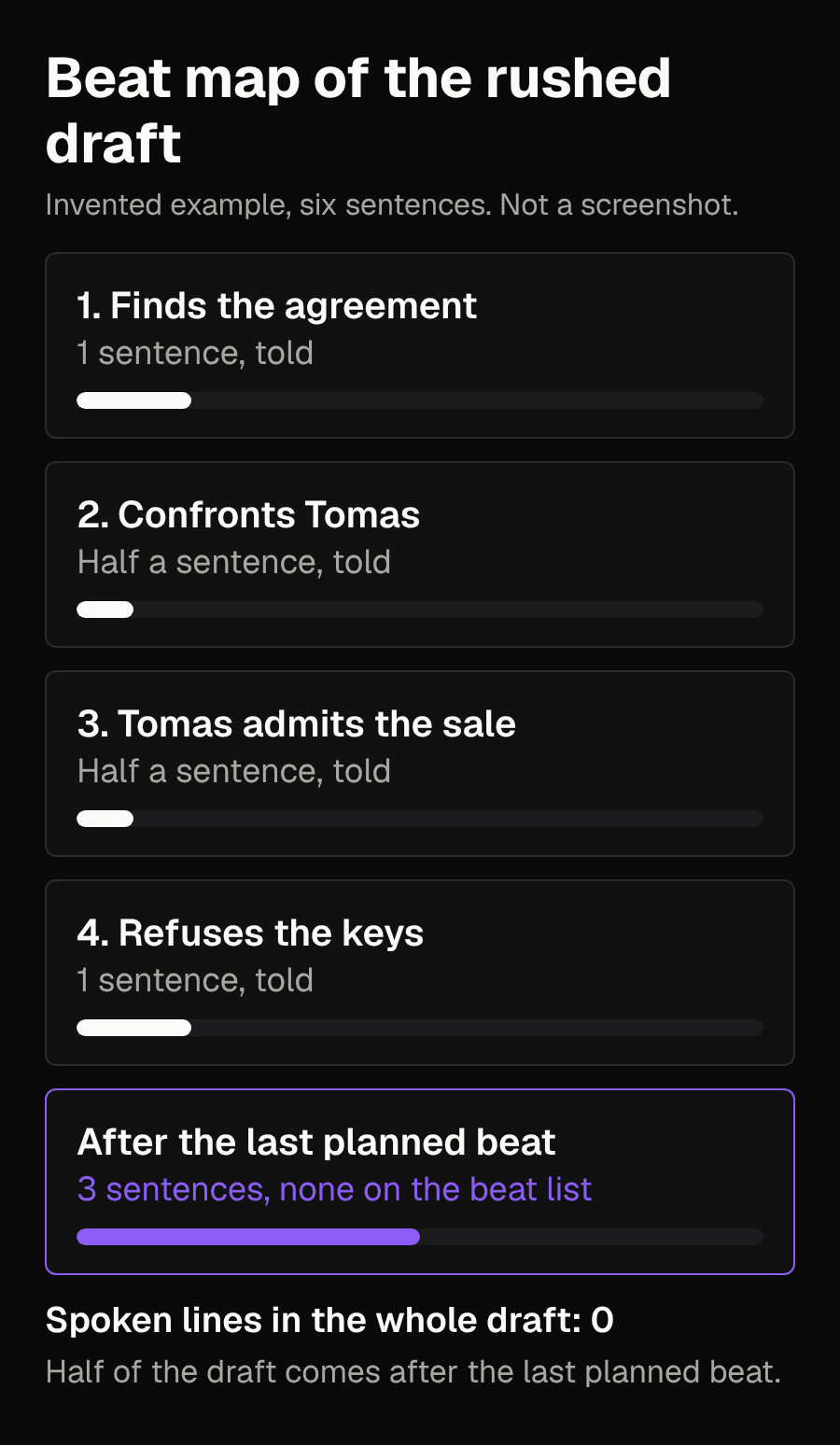
The map shows the problem in numbers you can check. The confrontation and the admission, the reason the scene exists, share one sentence and contain no spoken line. Three of the six sentences come after the last planned beat.
Step 2: Choose which beats deserve the page
Do not expand everything. A scene in which every beat is fully played out reads slowly for no reason. Pick the turn: the beat, or the pair of beats that form one exchange, where something changes between people. Here that is beats 2 and 3. The draft fused them into one sentence, and together they are a single argument, so treat them as one unit. Beat 4 needs a little room because the scene ends on it; it is a second unit. Beat 1 can stay at one sentence, as long as it states the fact rather than the feeling.
Step 3: Expand one unit at a time, with a stop point
In Write Studio you select a passage and choose Rewrite, Expand, Describe or Shorten, with a note to steer it if you want one. The result arrives as a tracked suggestion that you accept, retry or reject; nothing changes your text until you accept it. The guide also says what each action reads: the Story Bible, the book's basics, a short summary of the previous chapter, a profile of your point of view, tense and rhythm, and the selected passage plus your note. It does not read your whole manuscript for each action. The guide's FAQ adds that the AI sees the text around the passage, without saying how much, so the advice here is to put the scene facts and the place to stop in the note rather than assume the AI will find them.[1]
- Select only the text that tells the unit you chose. A unit is one beat, or two beats that play out as a single exchange. In the example, beats 2 and 3 share sentence 2 and are one argument, so the first selection is the whole of sentence 2.
- Choose Expand and add a note built from four parts: what to play out, the facts allowed, what to leave out, and where to stop.
- Read the suggestion against your scene facts. Check that it stayed inside the unit, that no new person, object or backstory appeared, and that it stopped where you asked.
- Accept it if it passes. If it ran past the stop point or invented something, reject it or try again with a tighter note.
- Repeat for the next unit. In the example the second selection is sentence 3, which is beat 4 on its own. Never put more than one exchange in a selection, so each result stays easy to check.
Play out the confrontation as dialogue on the dock. Ines shows Tomas the signed agreement. Tomas is coiling a line. He admits he sold the Marisol because the yard is in debt, and says the buyer collects it on Friday. Use only these facts. No summary of the argument and no thoughts about what it means. Stop when Tomas asks for the keys. Do not write Ines's answer.
Play out the refusal on the dock as one action and one spoken line. The keys are on a ring on Ines's belt. She does not hand them over. Use only these facts. No thoughts and no explanation of why she refuses. Stop on her refusal. Do not write what happens after it.
Play out [one beat, or two beats that form one exchange] as [dialogue or action] in [place]. Facts you may use: [list]. Add no new people, objects or backstory. Do not summarize and do not explain what the moment means. Stop at [exact last action or line]. Do not write what happens after it.
A note is a request, not a guarantee: the guide itself says the AI keeps your point of view and tense most of the time, not always. That is why the check comes after every suggestion. Novelcrafter's beginner course gives similar advice for its own product: packing a whole scene into one instruction may rush the pacing, so keep each instruction to one moment or a short sequence. That is another vendor's guidance about another tool, offered here as support for working in small units, not as a statement about how ScribistIQ behaves.[1][5]
Step 4: Cut the ending back to the last planned beat
Find the place where your last planned beat ends. In the example that is the refusal. Do not look for the last sentence in which something happens: a draft can add an action you never planned, and here sentence 4 has Ines walking home along the harbor, which is not on the beat list. Then read each sentence after the last planned beat and ask one question: does it give the reader an event or information that your plan needs and the scene has not already shown? Sentences 4 to 6 do not, so they go. Deleting them yourself needs no AI action. If the passage holds one line worth keeping, select the passage, choose Shorten and say in the note which line to keep.
Keep a closing passage only when it changes something: a decision the reader has not seen, or information the next scene depends on. If it adds an event you do want, add that event to your beat list first, so that the plan and the scene agree. A feeling the scene already made clear is not new information.
The result and how to judge it
Ines found the sale agreement in the wheelhouse drawer, with Tomas's signature on it. She carried it down to the dock. Tomas was coiling a line and did not look up. "You signed this," she said. "Ines." "The Marisol. Dad's boat. You signed it." He let the line drop. "The yard is in debt." "So you sold her." "I sold her. The buyer comes for her Friday." He held out his hand. "I need the keys." Ines closed her fist around the ring on her belt. "No," she said.
| Check | Before | After |
|---|---|---|
| Beat 1, finding the agreement | 1 sentence, told | 1 sentence, states the fact |
| Beats 2 and 3, confrontation and admission | 1 sentence, no spoken lines | 7 spoken lines and 4 short action sentences |
| Beat 4, refusing the keys | 1 sentence, told | 1 action and 1 spoken word |
| Sentences after the last planned beat | 3 | 0 |
| Facts not on the scene list | One: the walk home along the harbor | None |
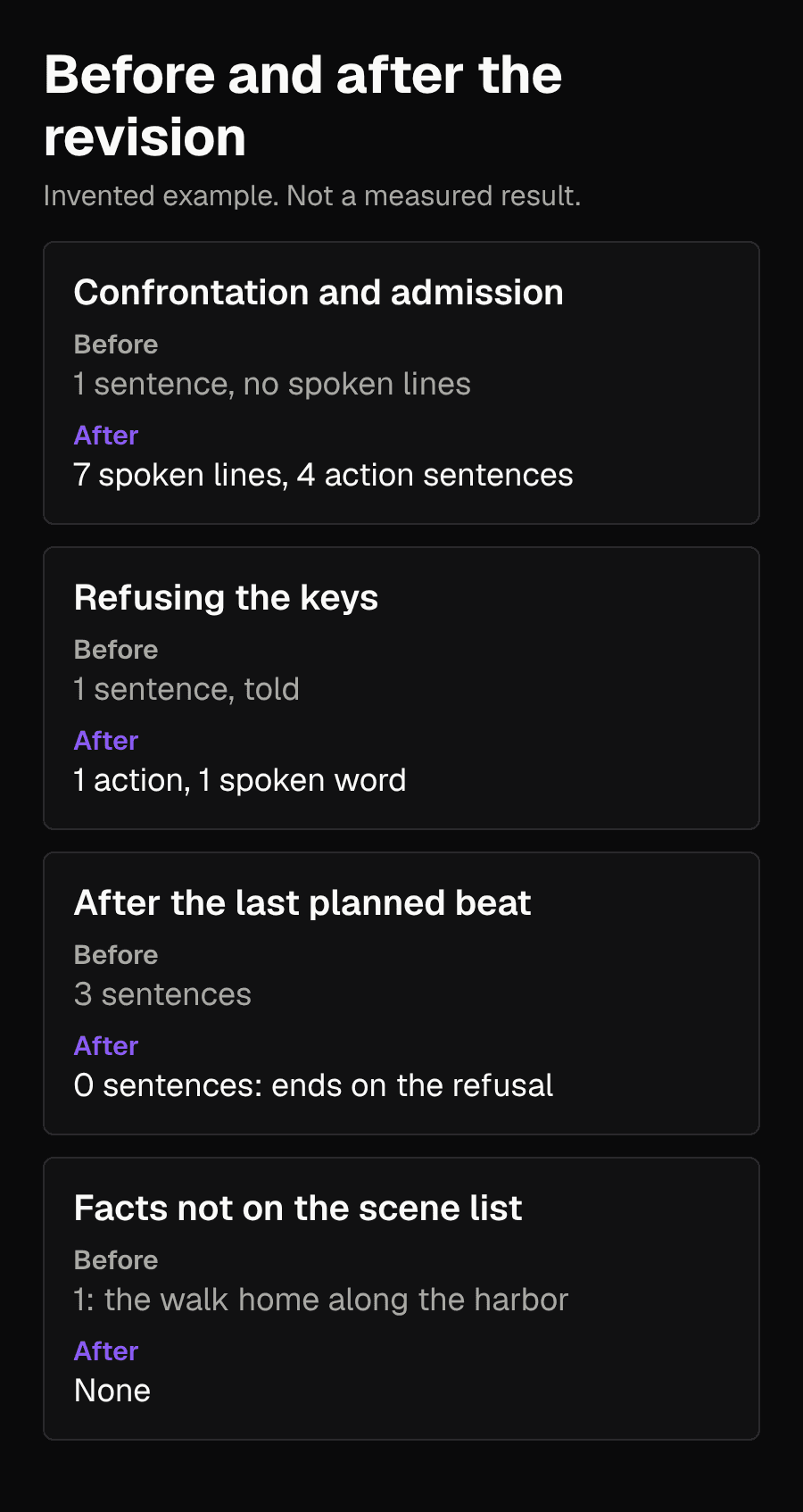
Judge the revision with the same map, not by length. Each unit you chose should now be shown, the scene should end on its last planned beat, and every name, object and reason should be on your scene-facts list. Small gestures and the wording of the spoken lines are new, as they must be; the people, objects, reasons and backstory behind them are not. If you asked for a stop point and the suggestion respected it, the next beat is still yours to direct.
Preventing it when you draft the next scene
- When you ask the AI to continue, ask for one unit. Write Studio's continue action writes one to three paragraphs from your cursor, and you can instead describe in a sentence what should happen next. Make that sentence one beat or one exchange with its stop point, not the whole scene.
- Add a standing line to the narration and voice part of your Story Bible, such as: End scenes on an action or a spoken line, not on reflection. The guide says every AI action reads the Story Bible, up to 16,000 characters. Whether a given suggestion follows the line is something you still check.
- If you use the Pro generator, its outline can be reviewed and edited before any prose is written. A chapter description that lists many events leaves less room for each one, so consider trimming or splitting an overloaded chapter there. This is reasoning from the accounts above, not a tested ScribistIQ behavior.
What it costs in Write Studio
The co-writing guide lists Rewrite, Expand, Describe, Shorten and continue as Fast actions at 500 credits each, counted against a monthly allowance that depends on your plan, and says assists pause when that allowance is used up even if credits remain. The worked example uses two Expand actions if each suggestion is accepted the first time, one for beats 2 and 3 together and one for beat 4; the first sentence and the ending are edited by hand. For a whole manuscript, the features page lists pacing as one of twelve dimensions in the Deep Manuscript Audit on Pro plans, at 40,000 credits per chapter. Check both pages for current figures before you rely on them.[1][2]
Common problems
- The expansion runs past the stop point. Reject it, or accept it and delete the overrun yourself, then name the exact last line in the next note.
- The expansion invents a fact, such as a new character or a reason you never gave. Reject it and restate the allowed facts in the note.
- The expanded beat is long but still told, with phrases like they argued for a while. Ask for spoken lines and physical actions only.
- Every beat is now long and the scene drags. Go back to step 2 and return the minor beats to a sentence each.
- The characters start explaining their feelings in dialogue. Add to the note that nobody states what the argument is really about.
Limits
The scene, the notes and the revision are invented, and no AI output was generated or tested for this guide. The beat map is an editorial method for checking a draft against your own plan, not a quality score, and counting sentences only shows where the words went. Some scenes should be summarized, and some should end on reflection. The map makes those choices visible so that you make them, rather than the default ending of a draft.
Sources
- ScribistIQ: Co-write a novel with AIChecked 2026-11-10
- ScribistIQ: FeaturesChecked 2026-11-10
- Sudowrite feedback board: Scope creep prevention? (posted 2026-05-03)Checked 2026-11-10
- Jason Craft: Co-Writing a Novel With an Agent: Style Engineering (2026-04-08)Checked 2026-11-10
- Novelcrafter beginner course: Improving AI output for scene beatsChecked 2026-11-10
- Original illustrative example and beat-map method for this articleChecked 2026-11-10